📝 Accessing Your Notion Portfolio
Follow the Notion link that was shared with you via email. This will take you to your personal course portfolio.
Once your portfolio is open:
-
Find the section where you create a new class entry.
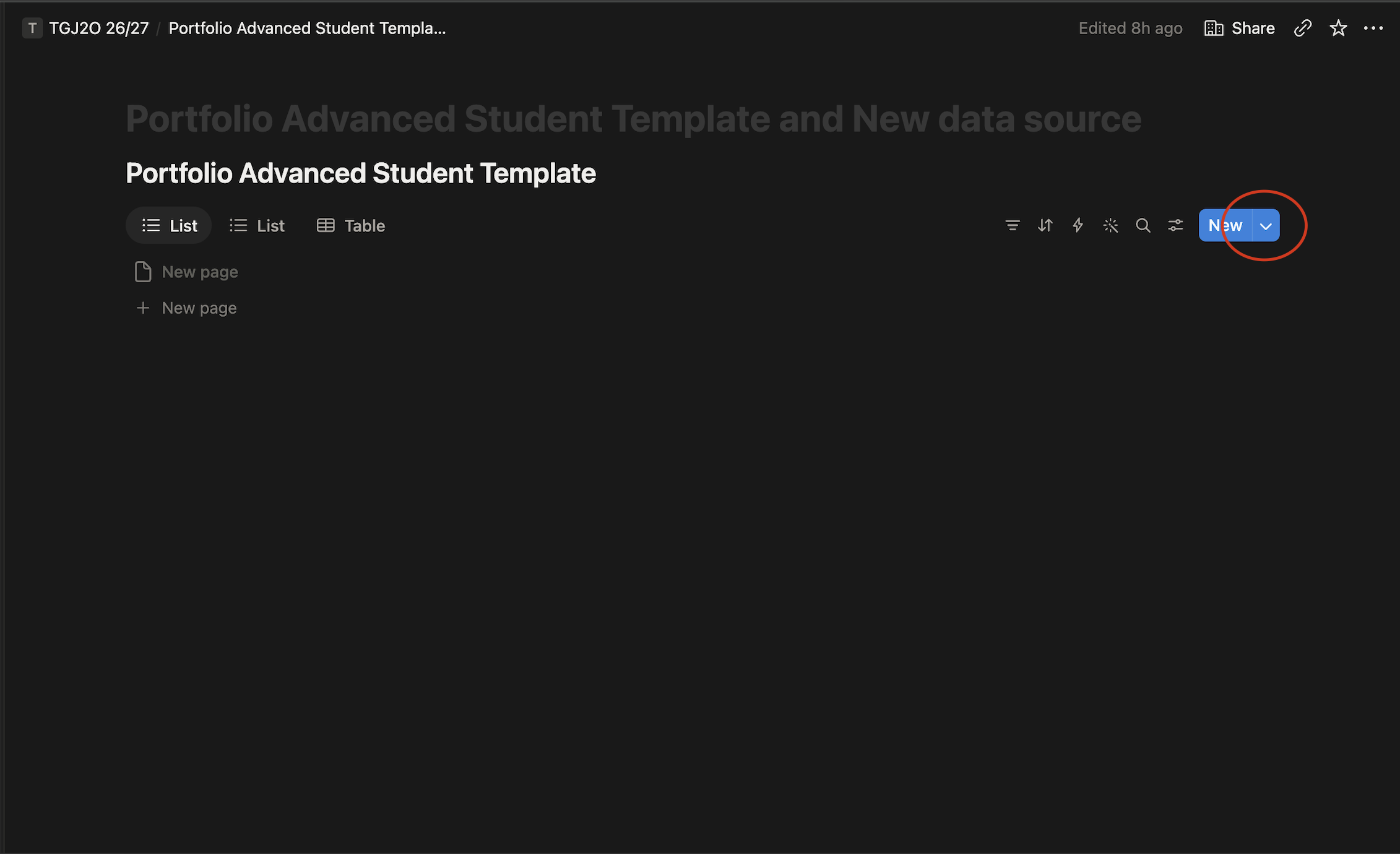
-
Look for the available templates.
-
Select the template called Introduction.
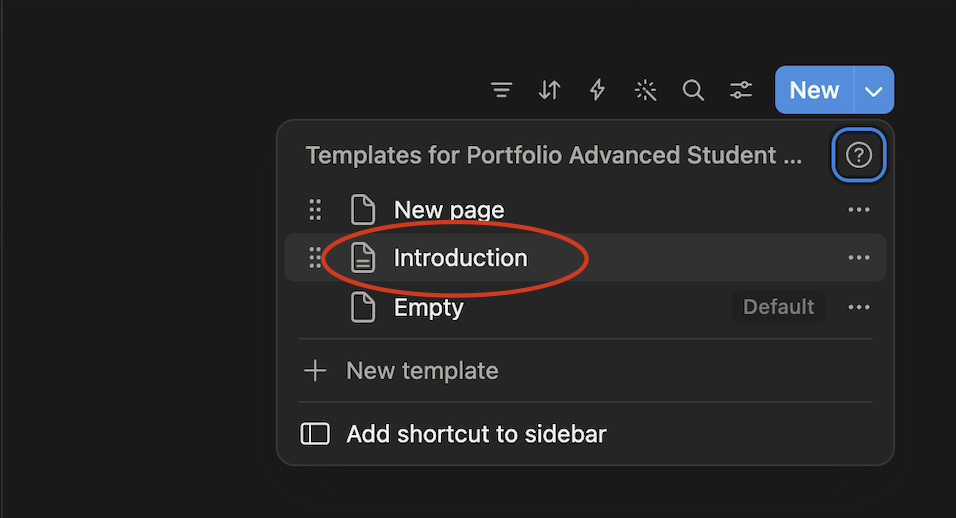
-
Open the template and complete each section.
-
Make sure your answers are saved before you leave the page.
Your Notion portfolio will be used regularly throughout the course, so make sure you know how to access it and where to find your templates.