Submitting Your Tinkercad Files
Standard submission: STL
Submit an STL file with each Notion portfolio post. An STL stores the shape of a 3D model, much like a JPEG stores an image.
At the top right of Tinkercad, select Export:
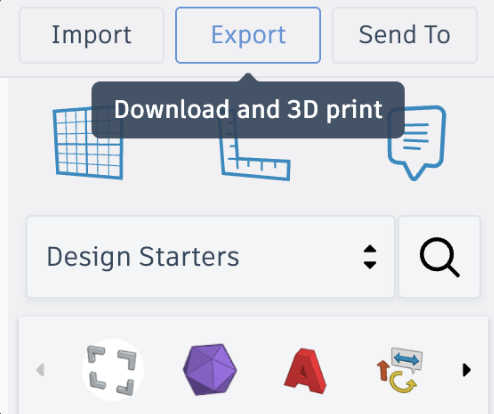
Choose STL and save it in a clearly named folder for this module.
Important
If only part of the model is selected, Tinkercad may export only The selected shape.
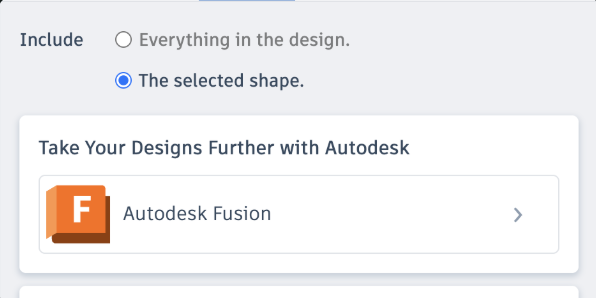
Before exporting, either select nothing, select everything, or deliberately choose Everything in the design.
Colour-specific exception: OBJ
Warning
STL is the normal submission format. If—and only if—you receive explicit permission for a colour-specific project, export and upload the complete OBJ package instead. Include the companion material files produced by the export so the colour information is not lost. State who approved the exception in your Notion entry.
What to include in Notion
- Planning sketches and measurements
- Screenshots showing progress
- Peer feedback and your response
- Before-and-after evidence of a revision
- A final screenshot
- A fly-through from Reviewing Your Design
- The STL file, or the authorized OBJ package
- The day’s reflection response
Requesting a physical print
Submitting to Notion documents your learning. It does not automatically add a model to the printer queue. If you want a physical print, also follow the print-request process.
Curriculum connections
A2.5: Use industry-related documents to guide production.
A2.6: Document development using appropriate terminology.
A3.5: Communicate analysis and refinements in an appropriate format.